You are using an outdated browser. Please upgrade your browser to improve your experience.
VISUALISE 1,000+ COLOURS WITH A TOUCH OF A BUTTON

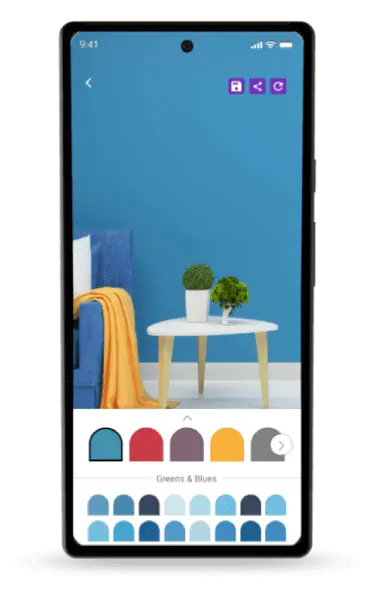
Explore what different colours look like in your space with a touch of a button. Our Colourcast mobile app makes choosing your shades easier like never before.
colourcast-visualizer-mobile-app
Download Indicus Colourcast Visualiser app
colourcast-visualizer-mobile-app-detail

Indicus colourcast visualiser

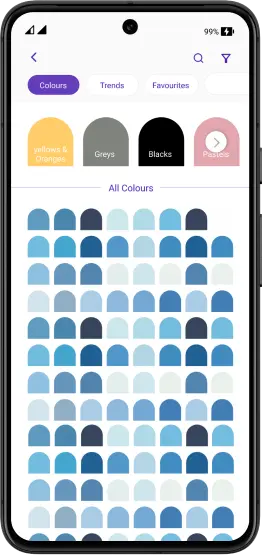
Browse the vibrant colours from our Colour Symphony colour palette, visualise them on your walls and save the ones you like.

And there are more!

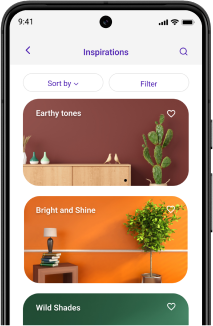
Discover the newest trends & designs!

Let your creativity flourish with the latest trends in colours, designs, and decor.
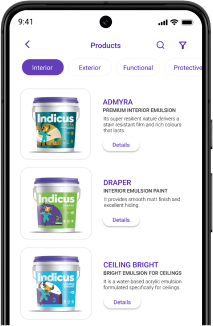
Explore our exclusive Products!

Embark on a journey of discovery with our exclusive products.
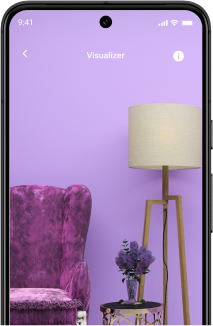
Easily import images from our gallery!

Streamline your work by importing images from your gallery with ease!

Download our app for exciting experience!

Frequently asked questions

How does the Indicus Colourcast app help me choose the right shade of paint?

The Indicus Colourcast app uses Augmented Reality (AR) to let you visualize over 1,000+ shades from our Colour Symphony palette on your walls in real-time. Simply point your phone camera at your wall, select a colour and see the transformation instantly, helping you eliminate guesswork before you buy.

Can I use the visualizer on a photo of my room I have already taken?

Yes. The app allows you to import images directly from your gallery. You can take a photo of your living room or bedroom during the day and experiment with different shades at your own pace to see how they interact with your furniture and flooring.

Is the colour on the app an exact match to the actual paint?

While the app provides a highly realistic preview, digital screens can vary in brightness and tone. For the most accurate results, we recommend using the app to narrow down your top 3 choices, then check them in a physical Indicus fan deck.

Can the app help me find the latest wall design trends?

Absolutely. Beyond just colour picking, the Colourcast app features a "Discover" section where you can explore the latest trends in colours, designs and decor. You can save your favourite combinations and even share them with family or your painting contractor for easy reference.

How do I download the Indicus Colourcast Visualizer?

The app is available for free download on both the Google Play Store and the Apple App Store. Once installed, you have instant access to our entire product catalogue from Heatseal to Woodfina and our extensive library of shades.